 MatAmo
GWonMac Tools Beta is here
Release 2026.8.5 adds local build and team management, template import and export, an experimental 4 GB memory limit, and two interface styles.
Release 2026.8.5 introduces GWonMac Tools Beta: a local build and team manager made specifically for Guild Wars on Mac.
You can capture your current party, create player and hero builds, reorder heroes and skills, share complete teams, and apply a saved setup from a supported PvE outpost. The release also adds template import and export, an experimental 4 GB memory limit, and two interface styles.
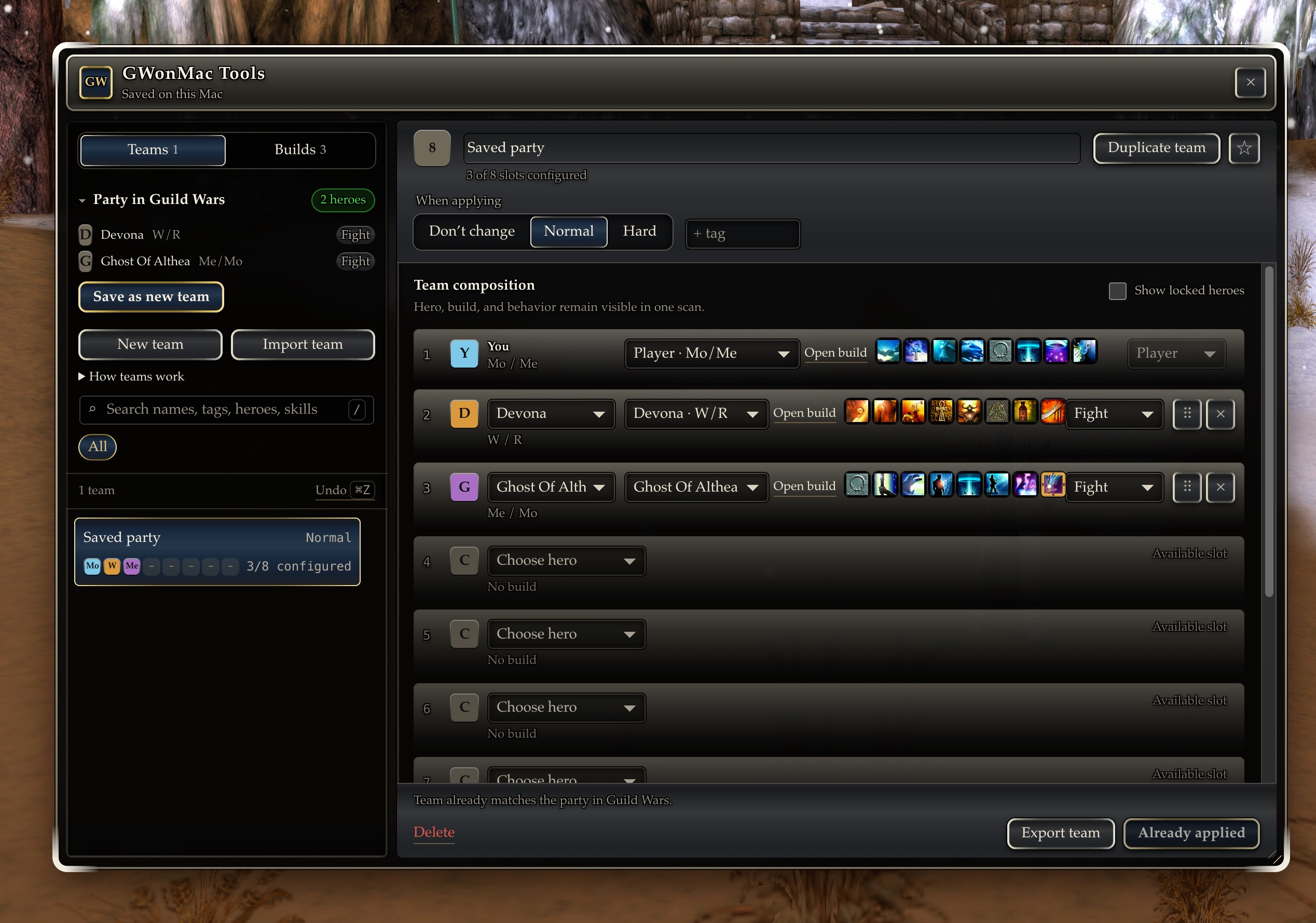
GWToolbox++ itself still cannot run because it depends on the Windows client. GWonMac Tools is not a Toolbox replacement, but it brings some of its most-requested quality-of-life features to Mac players.
A local home for builds and teams
GWonMac Tools adds a build library designed around the way people actually prepare a Guild Wars party.
You can:
- Save and edit player and hero builds
- Capture your current party as a reusable team
- Keep related variants without duplicating everything by hand
- Edit professions, attributes, skill bars, and hero behavior
- Reorder heroes and skills with drag and drop or the keyboard
- Search skills and browse them in attribute groups
- Filter for skills that fit the active slot or are currently unlocked
- Delete builds and teams with confirmation and Undo
Individual builds can be shared with standard Guild Wars template codes. Complete teams can be imported and exported with a GWonMac team code, keeping the player, heroes, builds, attributes, behavior, difficulty, and notes together.
Apply a saved team
From a supported PvE outpost, Apply team can configure:
- Normal or Hard Mode
- The player's build
- Hero roster and order
- Player and hero professions
- Skill bars and attributes
- Hero behavior
Team Management is a Beta feature. Hard Mode support is included, but additional live tester coverage is welcome.
Templates work without Tools
Build-template migration is a Core feature and does not require enabling GWonMac Tools.
Under Settings → Templates, you can:
- Import an old Windows Guild Wars template folder
- Import templates from files
- Import one or many template codes from the clipboard
- Export your templates
- Recover templates stored in unexpected subfolders
Sign in to Guild Wars before opening the Templates pane. If you opened Templates while the game was still starting, reopen the pane after signing in so the controls can connect to the game's storage.
You can also publish a build from Tools into Guild Wars. The Tools library and the game's Templates folder remain separate, so editing one never unexpectedly rewrites the other.
Read the template migration guide for the complete workflow.
More memory headroom for long sessions
Guild Wars normally has a 2 GB memory limit. Very long sessions can eventually approach it and may need a reload.
You can now opt into an experimental 4 GB limit under:
Settings → Advanced → Experimental 4 GB memory limit
The option is off by default and requires restarting Guild Wars. Settings shows whether the current session is using 2 GB or 4 GB.
The larger limit provides more headroom and may help during long sessions. It does not stop memory from continuing to grow. If 4 GB mode is unavailable for the current Guild Wars version, GWonMac safely starts in normal 2 GB mode instead.
The new memory warning stays out of the way and lets you reload Guild Wars directly when the current session is running low.
Choose your interface
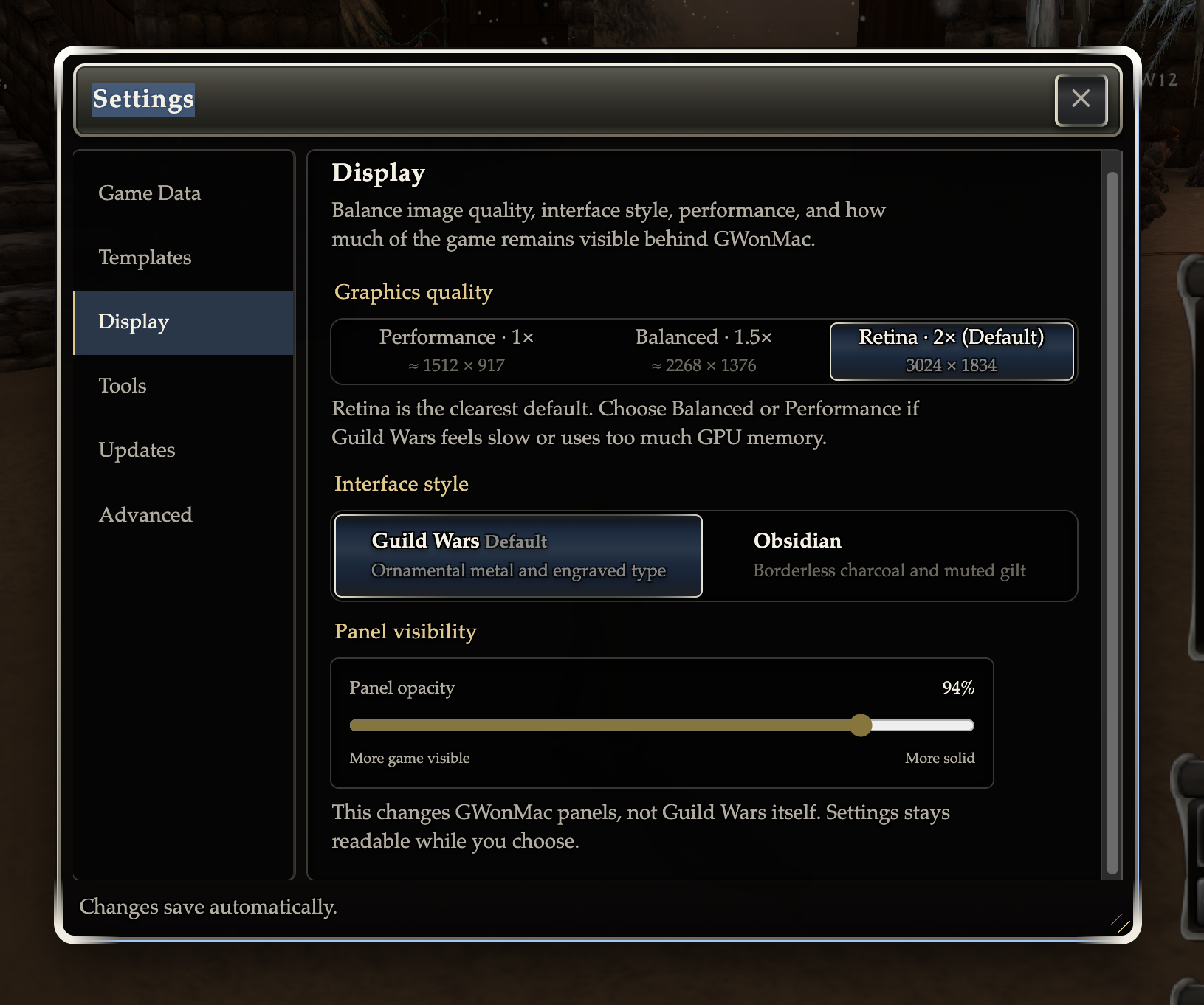
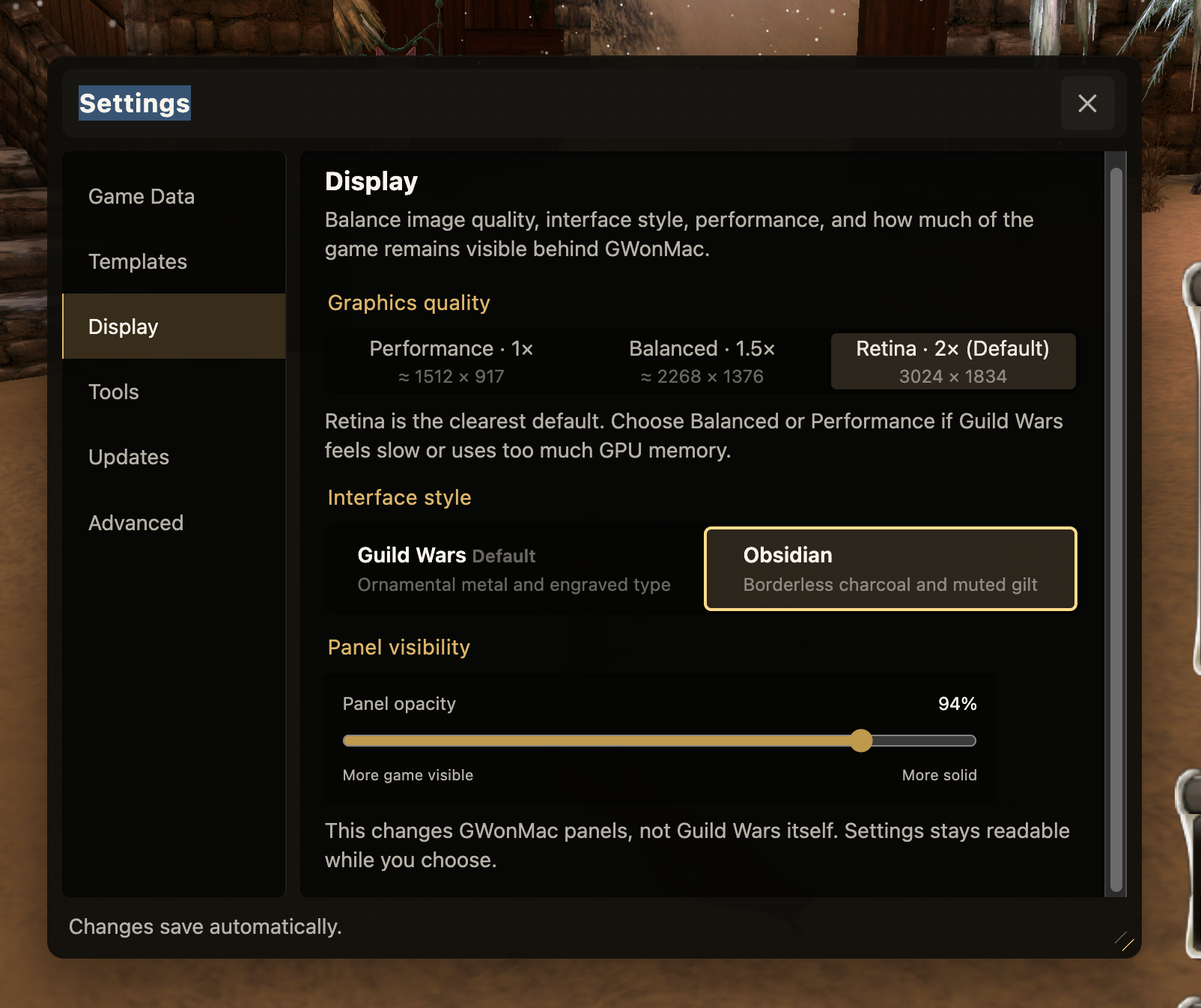
The in-game interface has been redesigned with two styles:
- Guild Wars remains the default and closely follows the original game's ornamental interface.
- Obsidian offers a quieter, borderless charcoal design with restrained gold accents.
Choose between them under:
Settings → Display → Interface style
Both styles provide the same features, responsive layouts, profession colors, and adjustable panel visibility.
What Beta means
GWonMac Tools is optional and off by default. Enable it under:
Settings → Controls → GWonMac Tools Beta
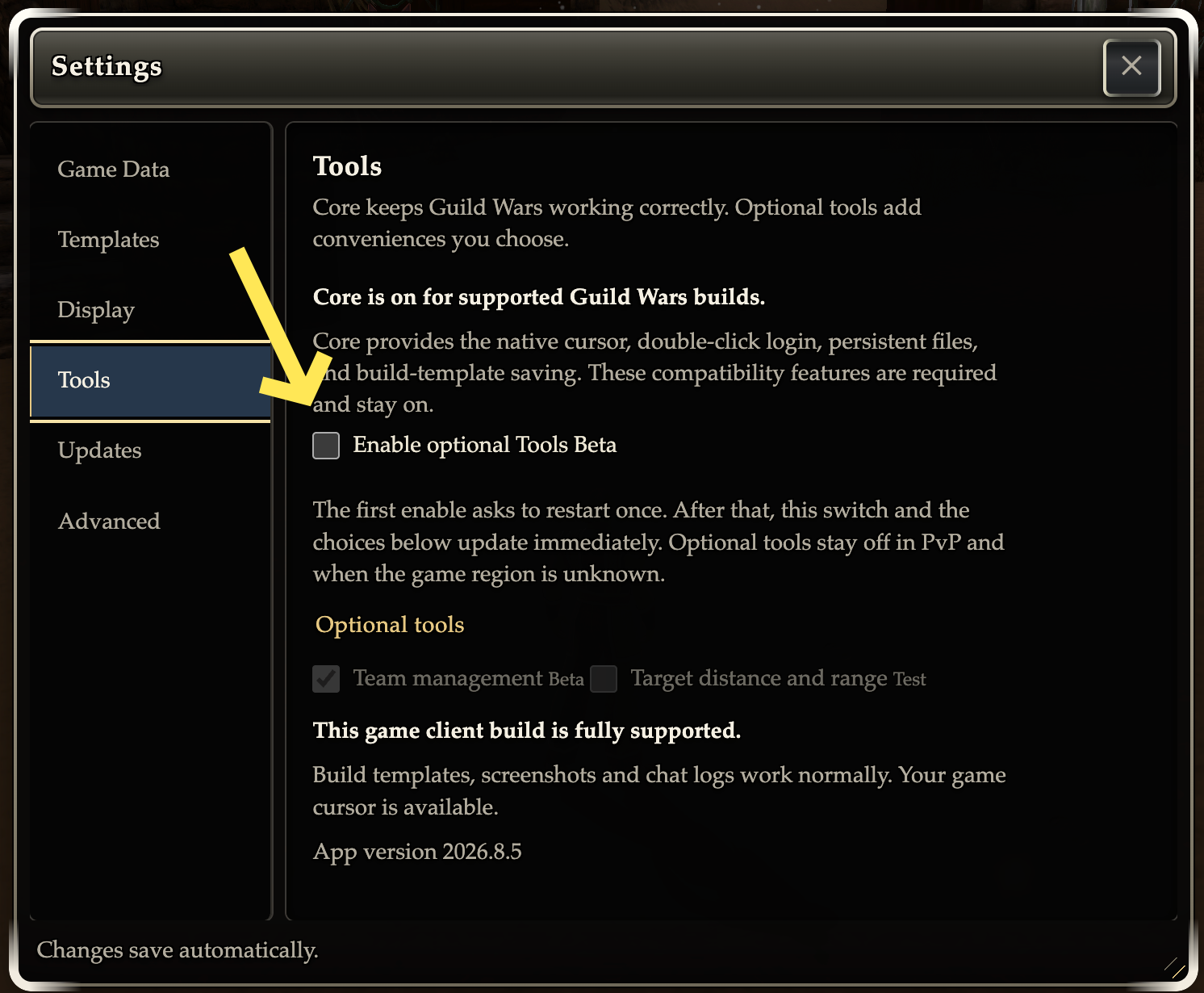
The first enable requires restarting Guild Wars. After that restart, individual tool settings can be changed while the game is running.
Tools is unavailable in PvP, guild halls, and unsupported regions. Core features such as the native cursor and template import/export continue to work independently.
After a Guild Wars update, Tools may be temporarily unavailable until a compatible GWonMac update is ready. You can always continue playing normally.
Builds, teams, and preferences stay on this Mac. GWonMac does not upload your library, account, or gameplay data.
Help test the release
The most useful feedback now is:
- Repeated Team Apply runs with different hero professions and skill bars
- Normal and Hard Mode application
- Larger or unusual hero rosters
- Long sessions using the experimental 4 GB limit
- Interface and layout behavior on smaller Mac displays
If something fails, tell us what you expected, what Guild Wars showed afterward, and which Mac you use.